> ## Documentation Index
> Fetch the complete documentation index at: https://docs.tight.com/llms.txt
> Use this file to discover all available pages before exploring further.
# Unit
> Sync your users' banking data to their accounting platform in real time
## Overview
[Tight partners with Unit](https://www.unit.co/docs/guides/partnerships/tight/) to automatically sync your users'
banking data directly into their books.
## Securely sharing your Unit partner token
Email your contact at Unit to request that they
grant [Partner Token](https://guides.unit.co/partnerships/partner-tokens/#overview) access to Tight. Unit will then
securely give Tight partner token access to your Unit bank accounts for the `accounts` and `transactions` scopes.
## Unit webhooks (real-time updates)
By subscribing the Tight API to receive webhooks on your Unit dashboard, Tight will be able to pull in updates to your
users' transactions in real-time.
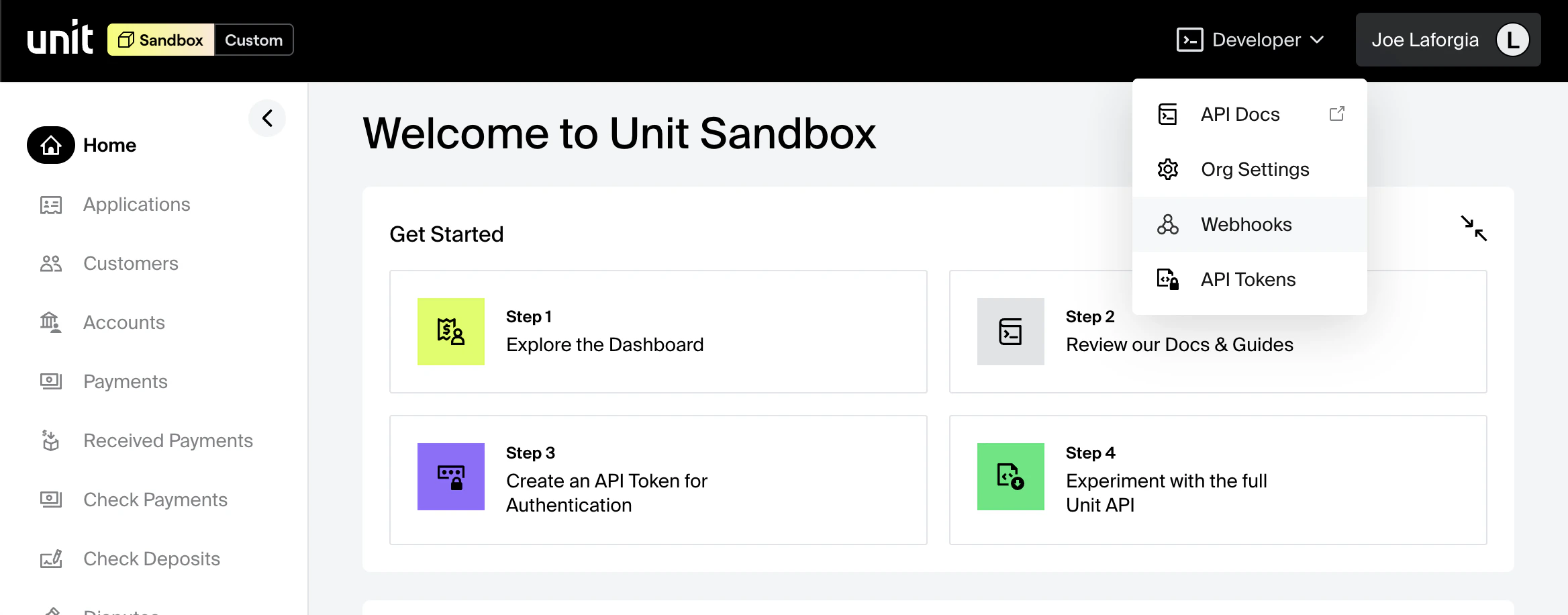
To do so, in your Unit Dashboard, click on Developer -> Webhooks.
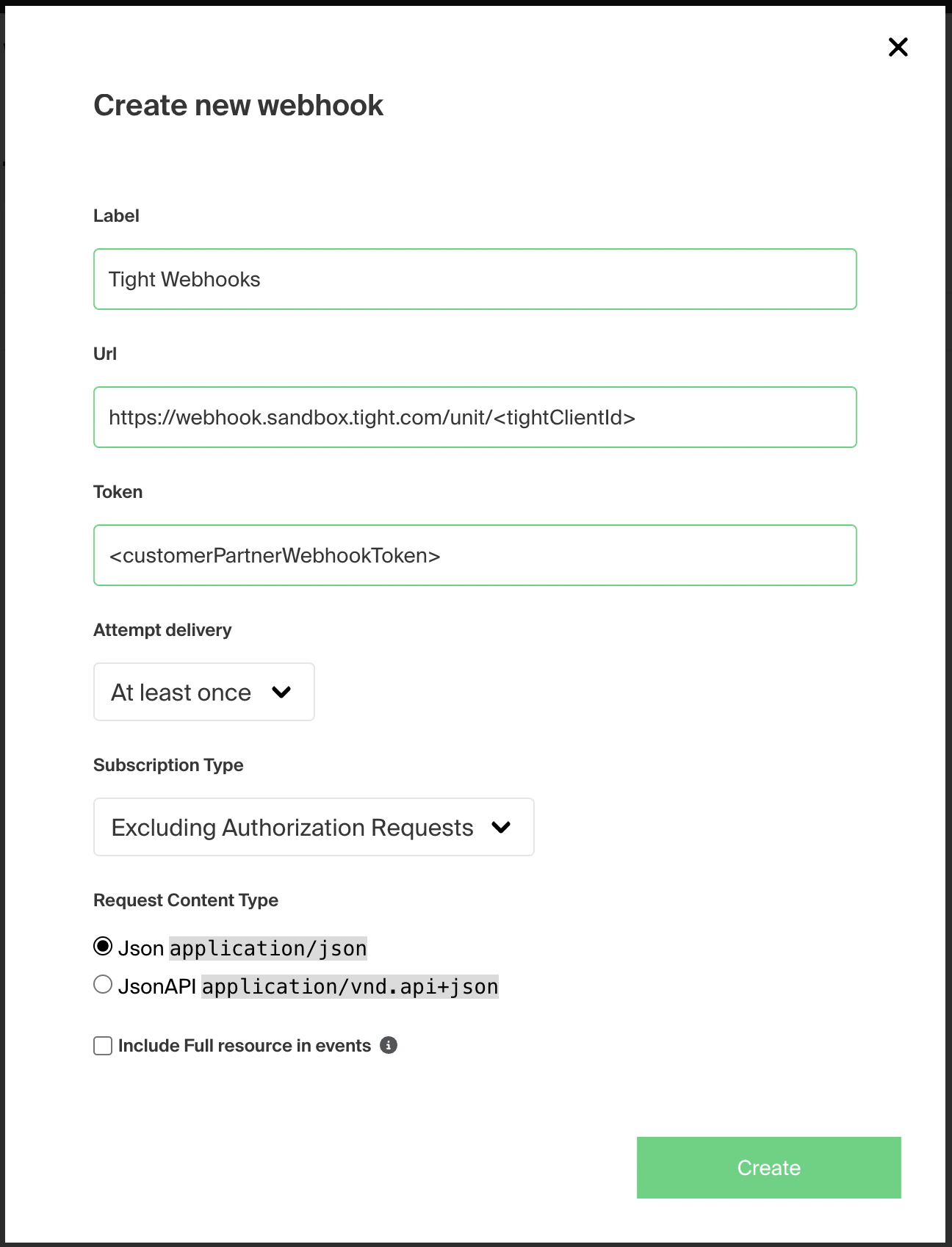
 Next, click on "Create", which will open up the "Create new webhook" form. Fill in the fields as shown in the screenshot
below:
Next, click on "Create", which will open up the "Create new webhook" form. Fill in the fields as shown in the screenshot
below:
 Use
the [Configure Unit API](/api-reference/integrations/configure-unit) to securely share your keys.
## Connect your user's Unit customer
To associate a Unit customer with your user's company in Tight, simply hit
the [Link Unit API](/api-reference/integration-management/link-unit)
Use
the [Configure Unit API](/api-reference/integrations/configure-unit) to securely share your keys.
## Connect your user's Unit customer
To associate a Unit customer with your user's company in Tight, simply hit
the [Link Unit API](/api-reference/integration-management/link-unit)