> ## Documentation Index
> Fetch the complete documentation index at: https://docs.tight.com/llms.txt
> Use this file to discover all available pages before exploring further.
# Gusto
> Simplify the complex accounting that payroll necessitates with Tight
## Overview
Tight communicates directly with Gusto to automatically account for payroll directly in your users' books, including
automatically reconciling bank withdrawals against the payroll entries in real-time. The integration works for those
integrating with [Gusto Embedded Payroll](https://embedded.gusto.com/) and for end-users that
use [Gusto](https://gusto.com/) directly.
## Automated Reconciliation
In addition to a seamless UX, you and your users can rest assured knowing that the complex accounting that payroll
necessitates is automatically taken care of. When your user runs a payroll, the necessary accounting transactions are
automatically created in the user's General Ledger. Furthermore, when the bank withdrawals come in several days later,
the Tight API will automatically reconcile those with the payroll run, keeping the user's General Ledger and balance
sheets in sync, without any manual labor required from your user.
That reconciliation process, when done manually, can be very complex, as a single Gusto payroll run typically includes
at
least three bank withdrawals, all of which need to be mapped to different accounts. With the Tight API, this
reconciliation happens automatically, without user input.
See the [**Monthly Payroll Run Example**](/guides/business-owners/payroll#monthly-payroll-run-example) to understand the
level of complexity that Tight automates.
## Gusto (Retail) Payroll
### Configure Gusto Retail App
If you haven't already done so, you should [create a developer account with Gusto](https://dev.gusto.com/).
Once you're logged into Gusto's developer portal, you'll want
to [create an Organization](https://dev.gusto.com/organizations), which should be named after your *company*.
Once you have created your Organization, you will need to [create an Application](https://dev.gusto.com/applications),
which should be named after your *product*. First, you should create a product for the "demo" stage. When you create the
product, you will be prompted to enter a `Redirect URI`, which you should enter as
`https://redirect.sandbox.tight.com/integrations/gusto`:
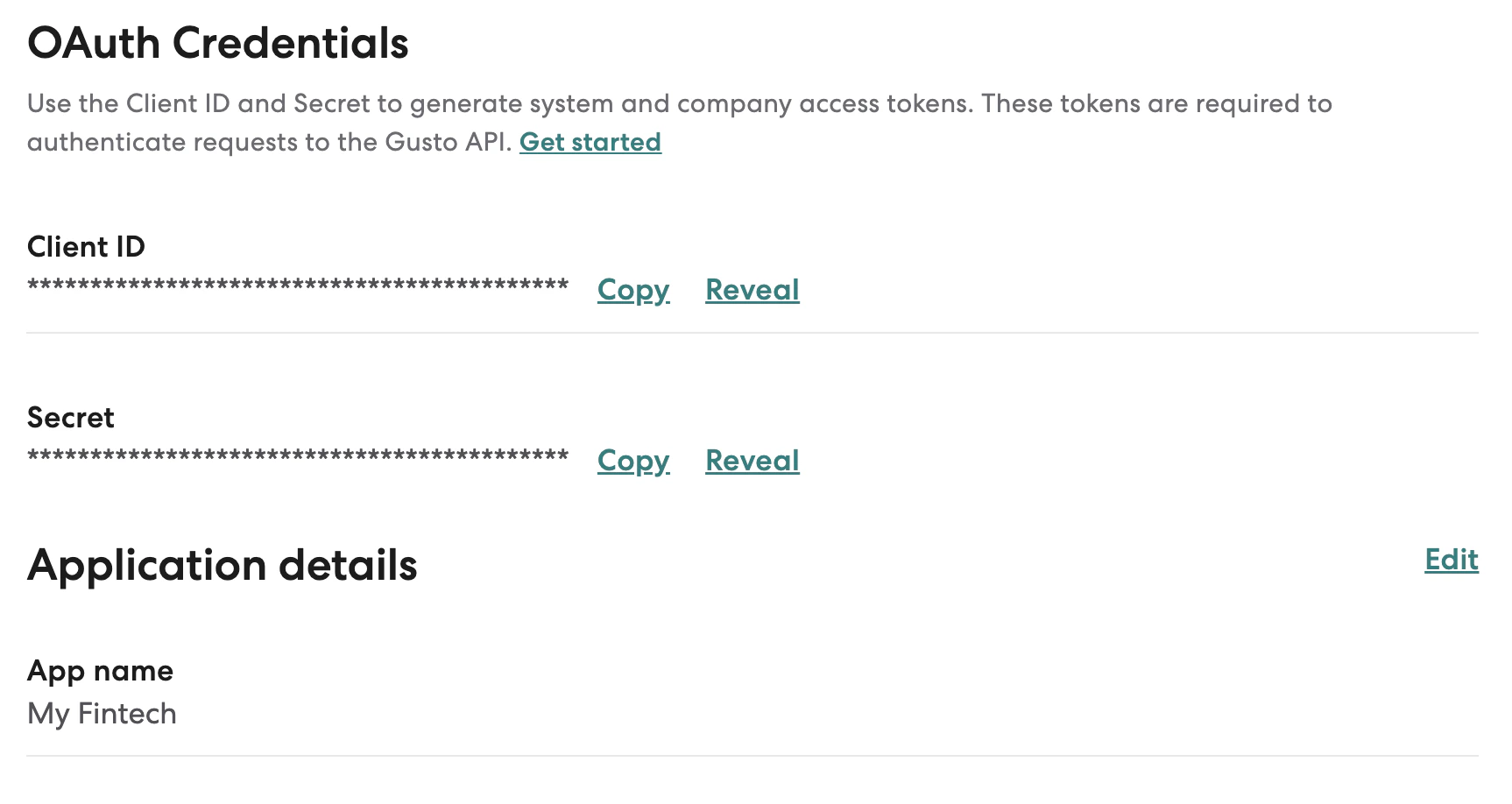
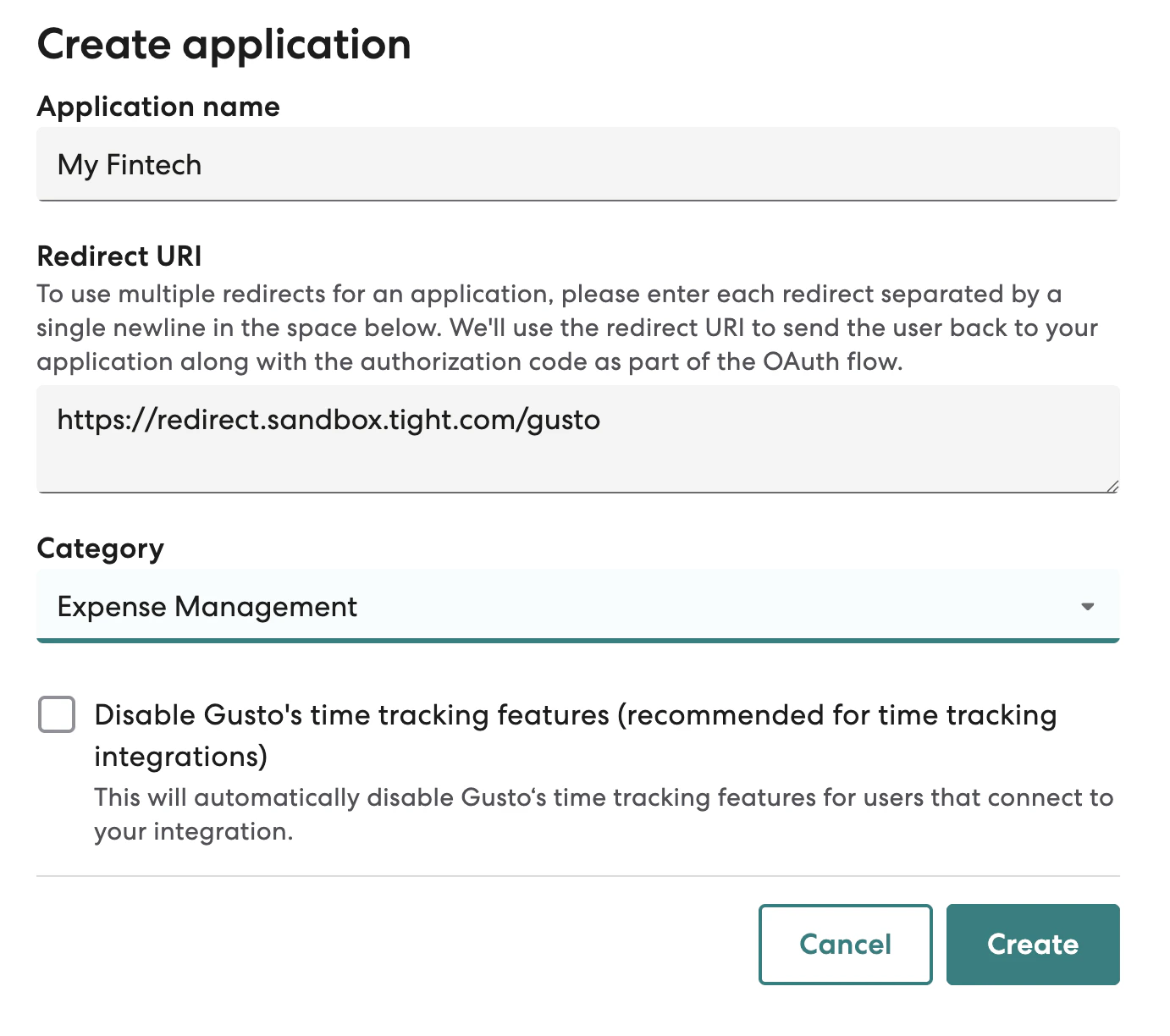 Once you are done creating the Application, you will see the ability to copy your application's `Client ID` and
`Secret`:
Once you are done creating the Application, you will see the ability to copy your application's `Client ID` and
`Secret`:
 Once you are ready to go live in the "Production" environment, you will first need to submit a
[production application](https://docs.gusto.com/app-integrations/docs/security-review). Once approved, you can repeat
the above steps on the "Production" version of your application, and then use
`https://redirect.prod.tight.com/integrations/gusto` as the `Redirect URI`.
### Securely share your Gusto keys
You should then copy both the `Client ID` and `Secret` fields, these can be programmatically provided to
the [Configure Gusto API](/api-reference/integrations/configure-gusto).
### Connect your user's Gusto Retail accounts
1. For partners including Payroll connection from their own UX, use
the [Start Gusto Flow API](/api-reference/integration-management/start-gusto-retail-flow) which wraps the entire OAuth
2.0 flow such that you simply need to redirect your user to a single URL.
2. Tight's Embedded UI also provides UX from which users can kick off the Gusto connection flow, e.g.
from the Payroll Dashboard
## Gusto Embedded Payroll
If your platform wants to embed payroll directly into your product, then Gusto Embedded Payroll may be a better solution
than Gusto's retail payroll product.
### Enable Gusto Embedded Connection
If you haven't embedded Gusto Embedded Payroll already,
an [expert from the Tight team](https://www.tight.com/#get-started) can introduce you to Gusto Embedded to get your team
registered quickly.
### Connect your user's Gusto Embedded Companies
To link your users' Gusto companies to those in Tight, simply hit
the [link Gusto API](/api-reference/integration-management/link-gusto).
Once you are ready to go live in the "Production" environment, you will first need to submit a
[production application](https://docs.gusto.com/app-integrations/docs/security-review). Once approved, you can repeat
the above steps on the "Production" version of your application, and then use
`https://redirect.prod.tight.com/integrations/gusto` as the `Redirect URI`.
### Securely share your Gusto keys
You should then copy both the `Client ID` and `Secret` fields, these can be programmatically provided to
the [Configure Gusto API](/api-reference/integrations/configure-gusto).
### Connect your user's Gusto Retail accounts
1. For partners including Payroll connection from their own UX, use
the [Start Gusto Flow API](/api-reference/integration-management/start-gusto-retail-flow) which wraps the entire OAuth
2.0 flow such that you simply need to redirect your user to a single URL.
2. Tight's Embedded UI also provides UX from which users can kick off the Gusto connection flow, e.g.
from the Payroll Dashboard
## Gusto Embedded Payroll
If your platform wants to embed payroll directly into your product, then Gusto Embedded Payroll may be a better solution
than Gusto's retail payroll product.
### Enable Gusto Embedded Connection
If you haven't embedded Gusto Embedded Payroll already,
an [expert from the Tight team](https://www.tight.com/#get-started) can introduce you to Gusto Embedded to get your team
registered quickly.
### Connect your user's Gusto Embedded Companies
To link your users' Gusto companies to those in Tight, simply hit
the [link Gusto API](/api-reference/integration-management/link-gusto).