> ## Documentation Index
> Fetch the complete documentation index at: https://docs.tight.com/llms.txt
> Use this file to discover all available pages before exploring further.
# Cash Flow Statement
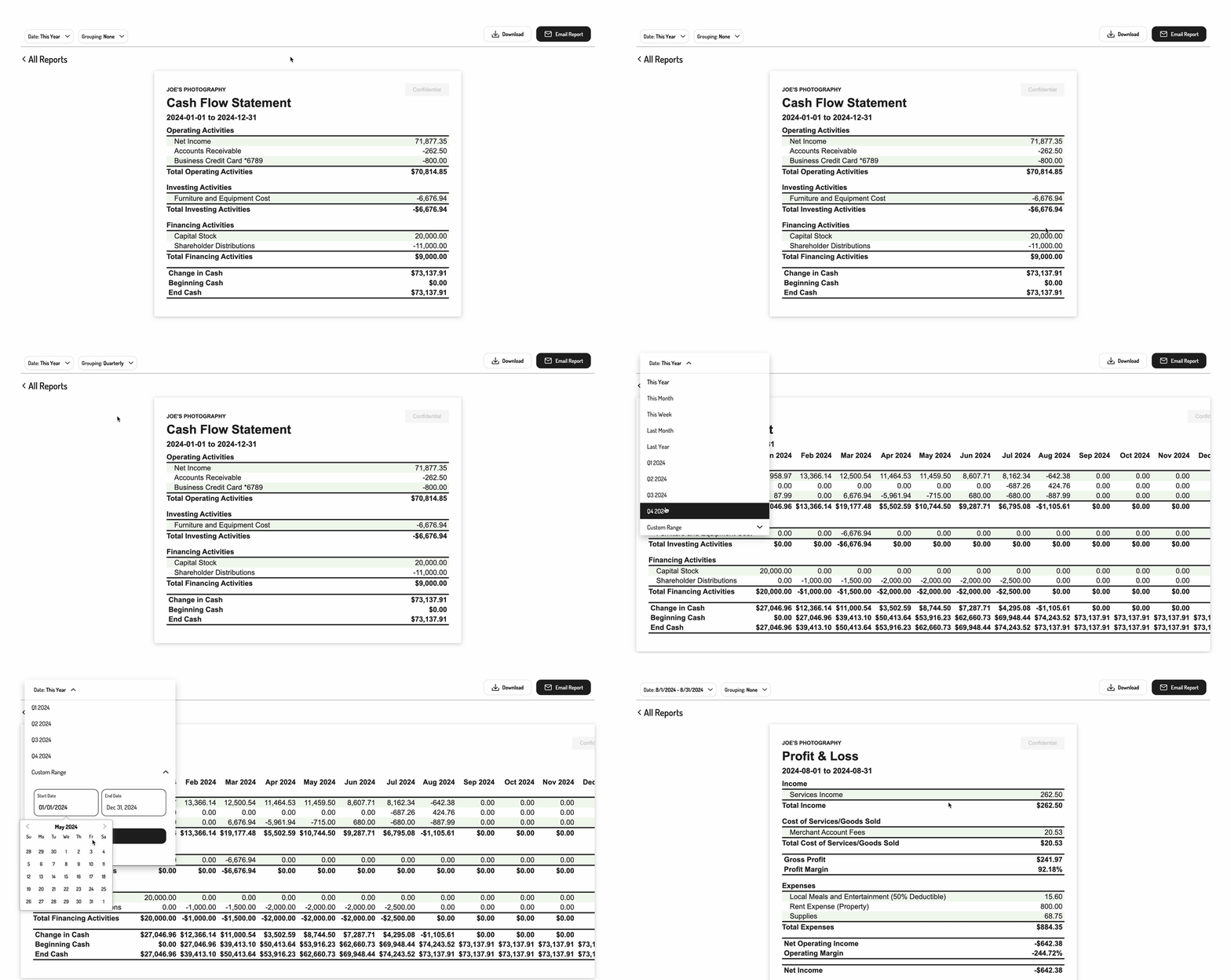
The Tight Embedded experience provides you with the capability to embed an interactive (drill-down) Cash Flow Statement report in your product, with options for customizing the time period grouping of the report.
 ## 1. Initializing the Embedded Experience
To initialize the Tight Embedded experience in your project, follow the instructions on [Embedding Tight's white-labelled UI](/v5.0/getting-started/quickstart/embedded-ui#2-embedding-hurdlrs-white-labelled-ui-hurdlr-sdk).
## 2. Rendering an interactive Cash Flow Statement report
To render a Cash Flow Statement report for a specific user, you will need to provide the `elementId` parameter, which is the HTML `id` of the main `
## 1. Initializing the Embedded Experience
To initialize the Tight Embedded experience in your project, follow the instructions on [Embedding Tight's white-labelled UI](/v5.0/getting-started/quickstart/embedded-ui#2-embedding-hurdlrs-white-labelled-ui-hurdlr-sdk).
## 2. Rendering an interactive Cash Flow Statement report
To render a Cash Flow Statement report for a specific user, you will need to provide the `elementId` parameter, which is the HTML `id` of the main `` where you would like the report to render. When your user clicks on the report element, you simply need to invoke the following line of javascript:
```javascript theme={null}
Hurdlr.renderReport(elementId, 'cashFlowStatement');
```
## 3. Populate the desired parameters
You can also pass in some optional parameters to specify the grouping and date range of the report.
| Parameter | Description | Format |
| --------- | ------------------------------------------------------------------------------------- | ------------------------------------------------------------------------------------------------- |
| grouping | The time period grouping of the report (e.g. for creating a month-over-month report). | Must be one of the following enumerations:
`NONE`,
`MONTHLY`, `QUARTERLY`, `YEARLY` |
| dateRange | The date range type of the report. | Must be one of the following enumerations:
`THIS_YEAR`,
`LAST_YEAR`, `CUSTOM` |
| beginDate | The beginning date of the report. Should be used with`currentDate` set to `CUSTOM`. | `YYYY-MM-DD` |
| endDate | The ending date of the report. Should be used with`currentDate` set to `CUSTOM`. | `YYYY-MM-DD` |
Pass these parameters in as an object to the `renderReport` call as follows:
```javascript theme={null}
Hurdlr.renderReport(elementId, 'cashFlowStatement', {
grouping: "MONTHLY",
dateRange: "CUSTOM",
beginDate: "2020-01-01",
endDate: "2020-12-31"
});
```