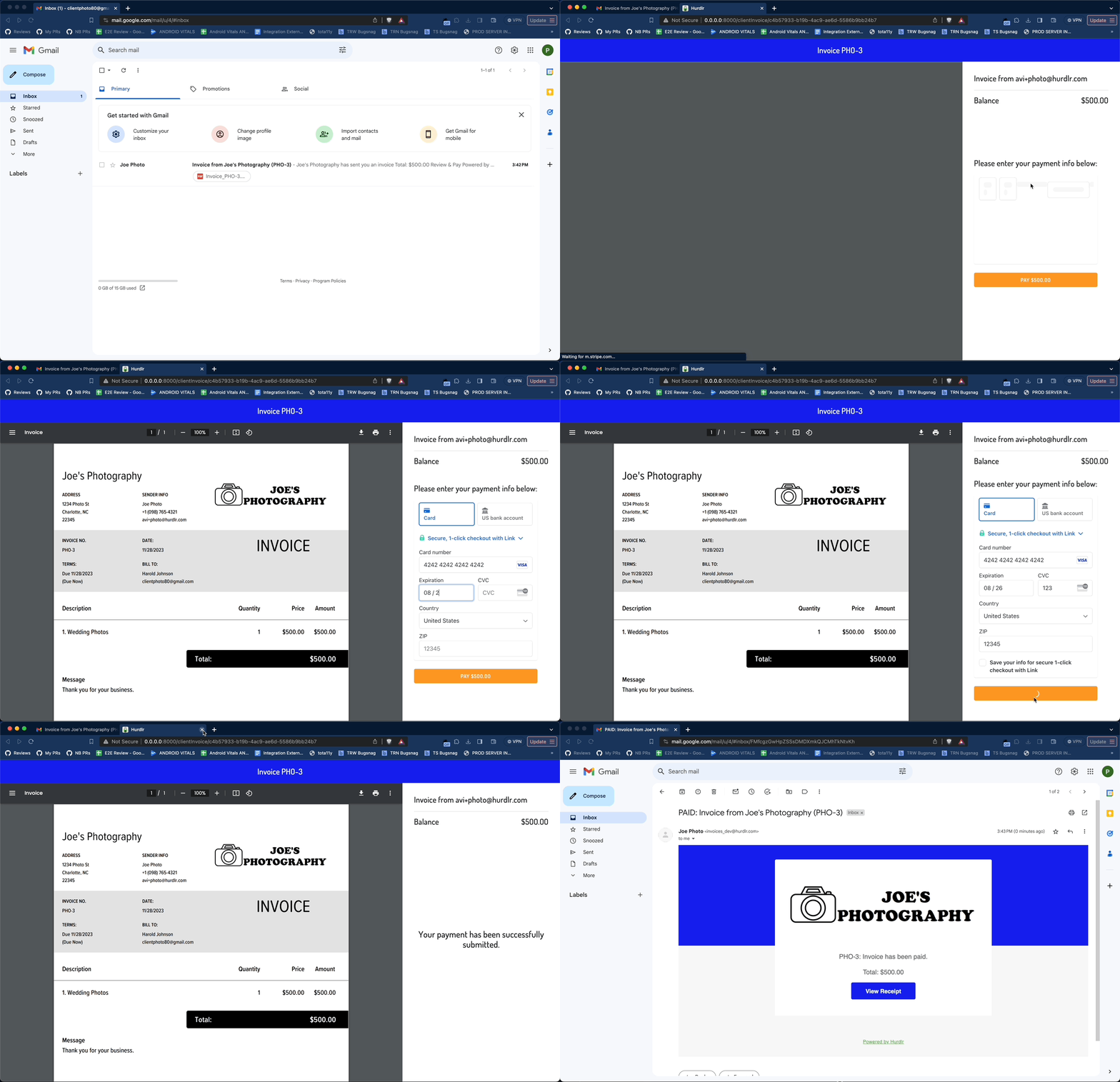
1. How it works
When your user sends out an invoice, their client will receive an email with a link to view/pay the invoice. When the client presses that link, they will be redirected to a URL of your choosing, with aclientInvoiceKey appended. When the client lands on that URL, you can follow the steps below to render the Client-facing Invoice.
2. Adding the Client Invoice to your app
Contact us directly at api@tight.com to let us know your desired URL structure for the Client Invoice. For example, you might use something like:Development Environment:
https://dev.myproduct.com/invoices/{clientInvoiceKey}Production Environment:
https://app.myproduct.com/invoices/{clientInvoiceKey}
When the client lands on https://app.myproduct.com/invoices/{clientInvoiceKey}, you should:
a) parse out the clientInvoiceKey from the URLb) render the Client Invoice, as described below To render the Client Invoice, you will also need to provide the
elementId parameter, which is the HTML id of the main <div> where you would like the Client Invoice to render. Then, you simply need to invoke the following line of javascript: