

1. Configure a service account for programmatic access to the bucket
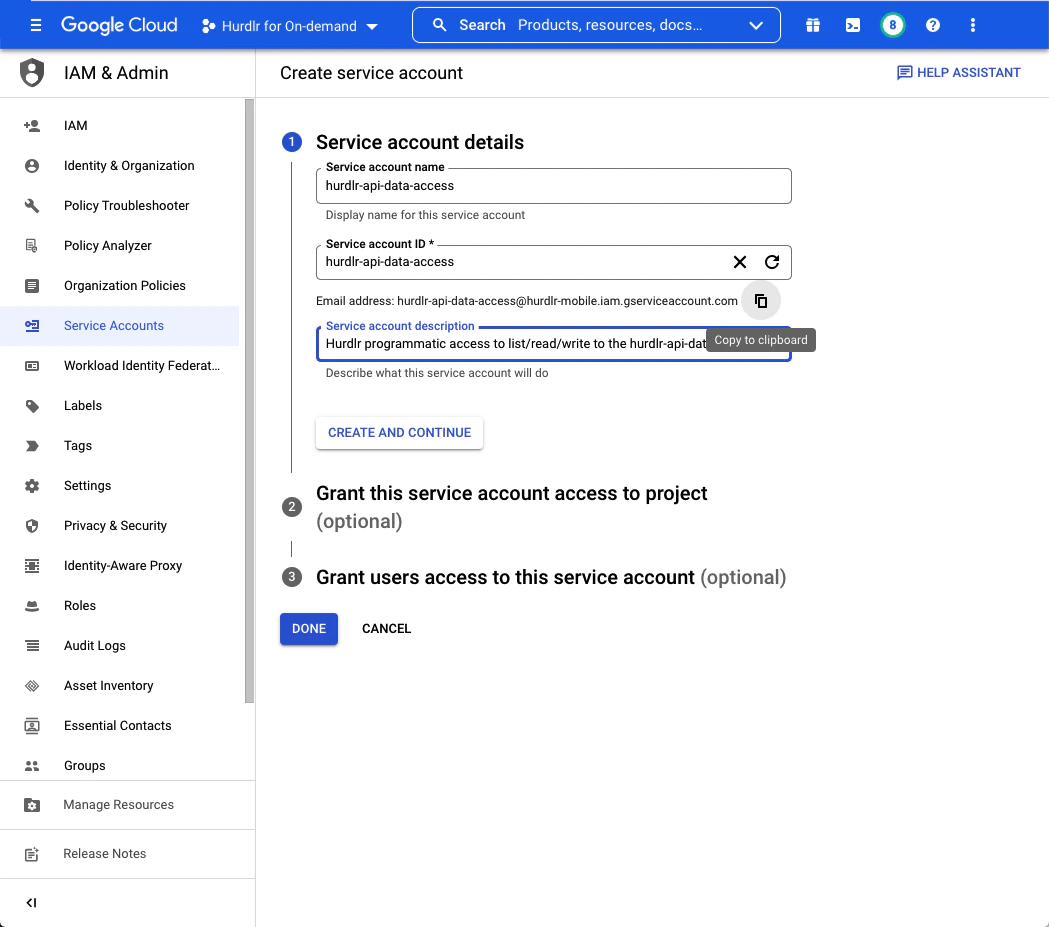
First, you’ll need to create a service account to grant programmatic access to the Google Cloud Storage bucket that we will create. The first step of the “Create service account” flow will require you to input aService account name and Description. We recommend setting the Service account name to “hurdlr-api-data-access”.
You should then click “Copy to clipboard” below the “Email address” that it created. Then, click “CREATE AND CONTINUE” followed by “DONE”:
2. Create a bucket
The next step to configuring your Tight API data lake is to create a Google Cloud Storage bucket to store Tight API data. We recommend naming this bucket “hurdlr-api-data”: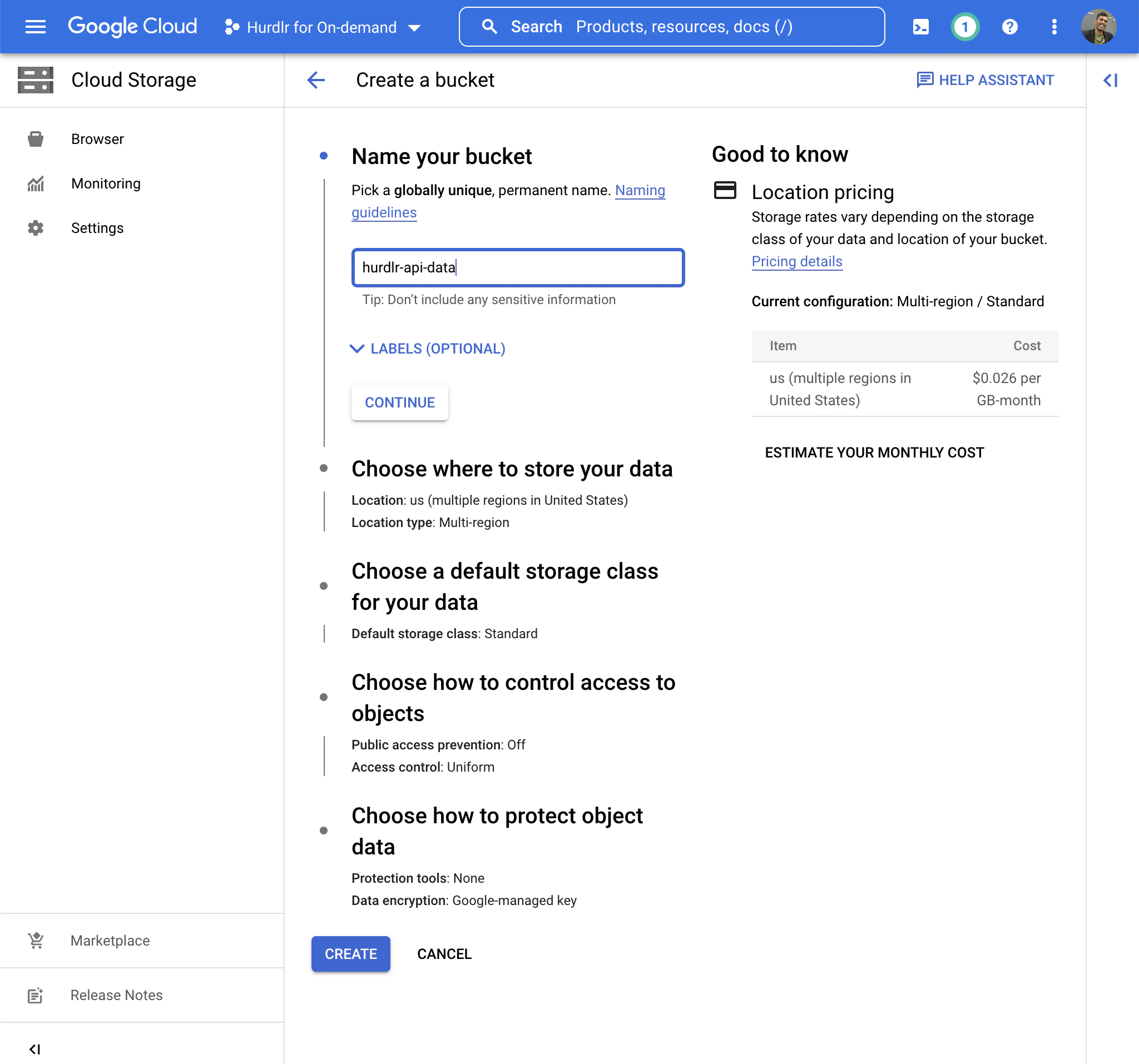
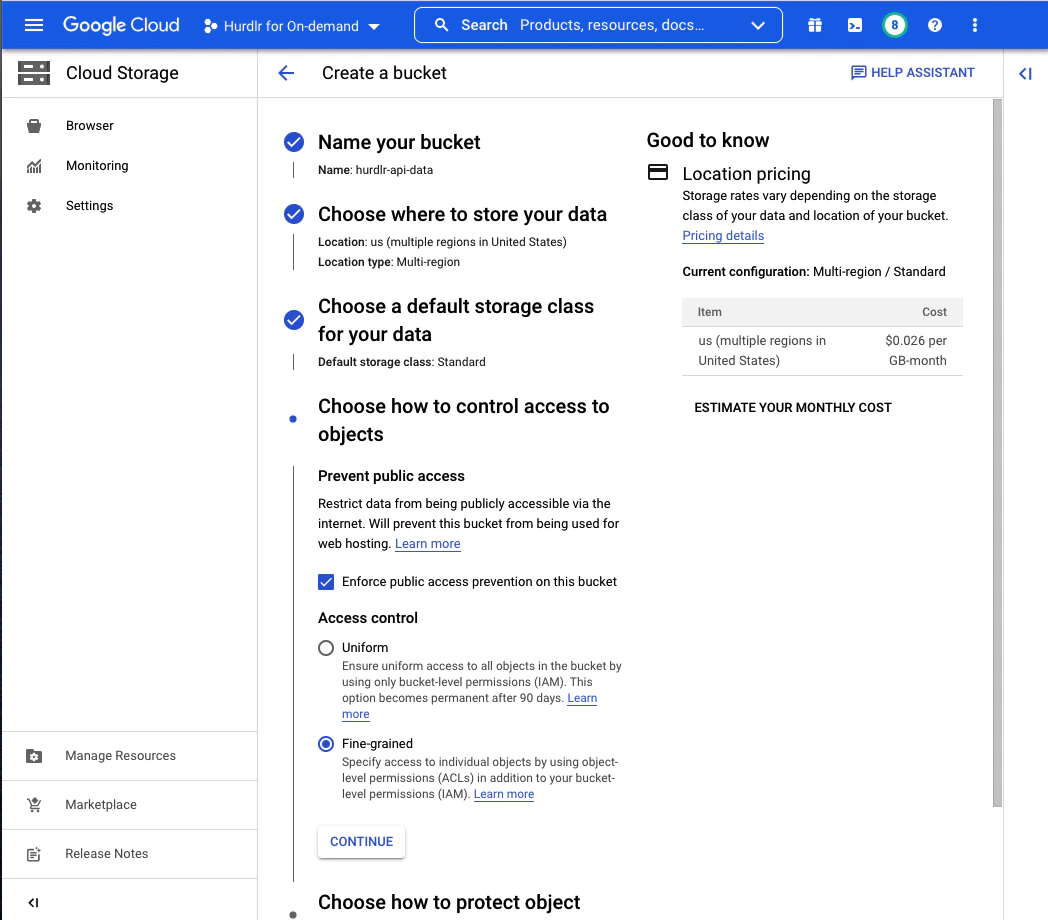
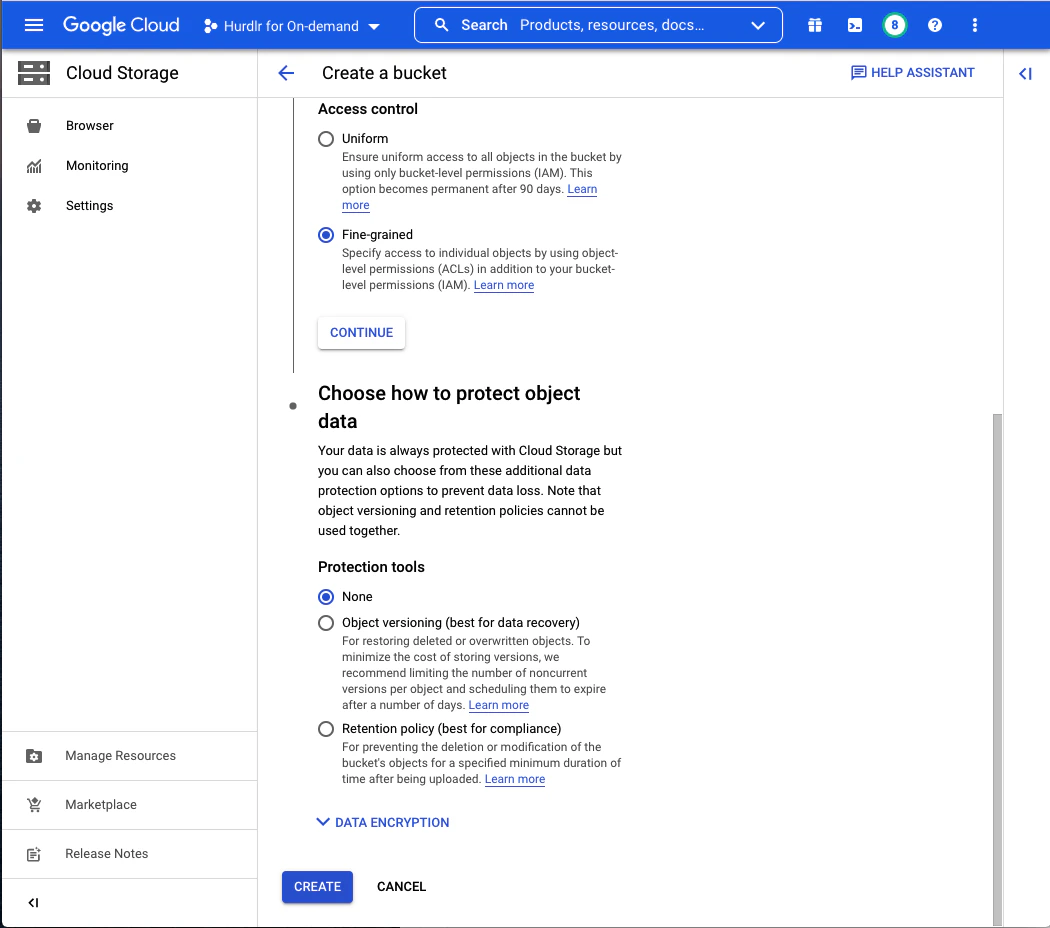
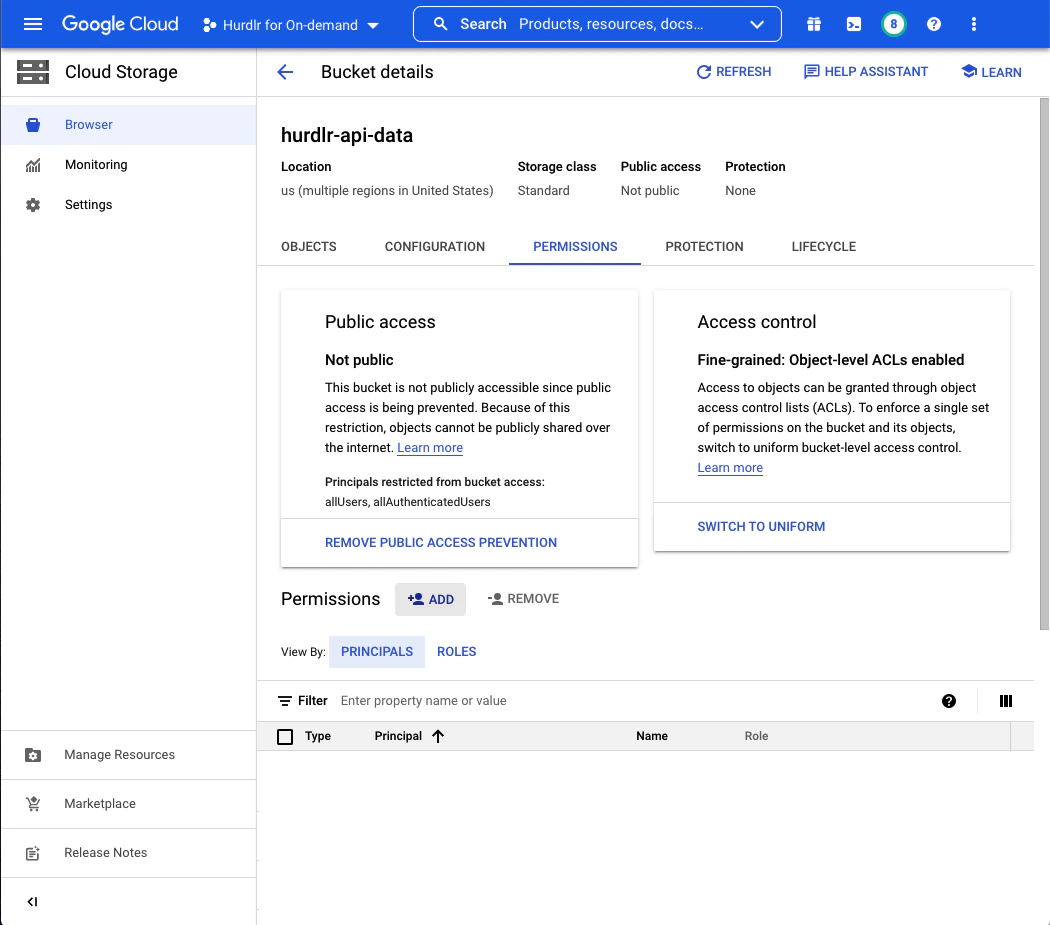
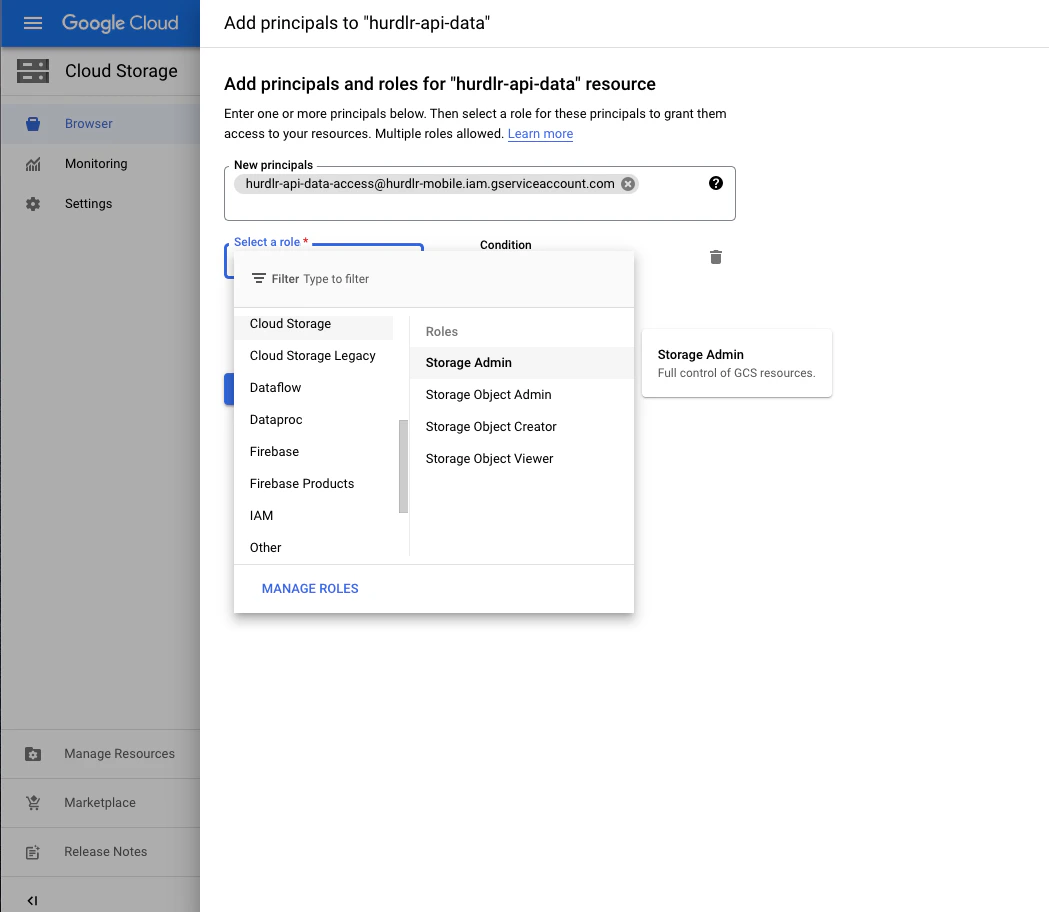
New Principals field, you can paste the email address that you copied to your clipboard in Step 1, and then set the Role to “Cloud Storage: Storage Object Admin”:
3. Add a service account key using the new service account
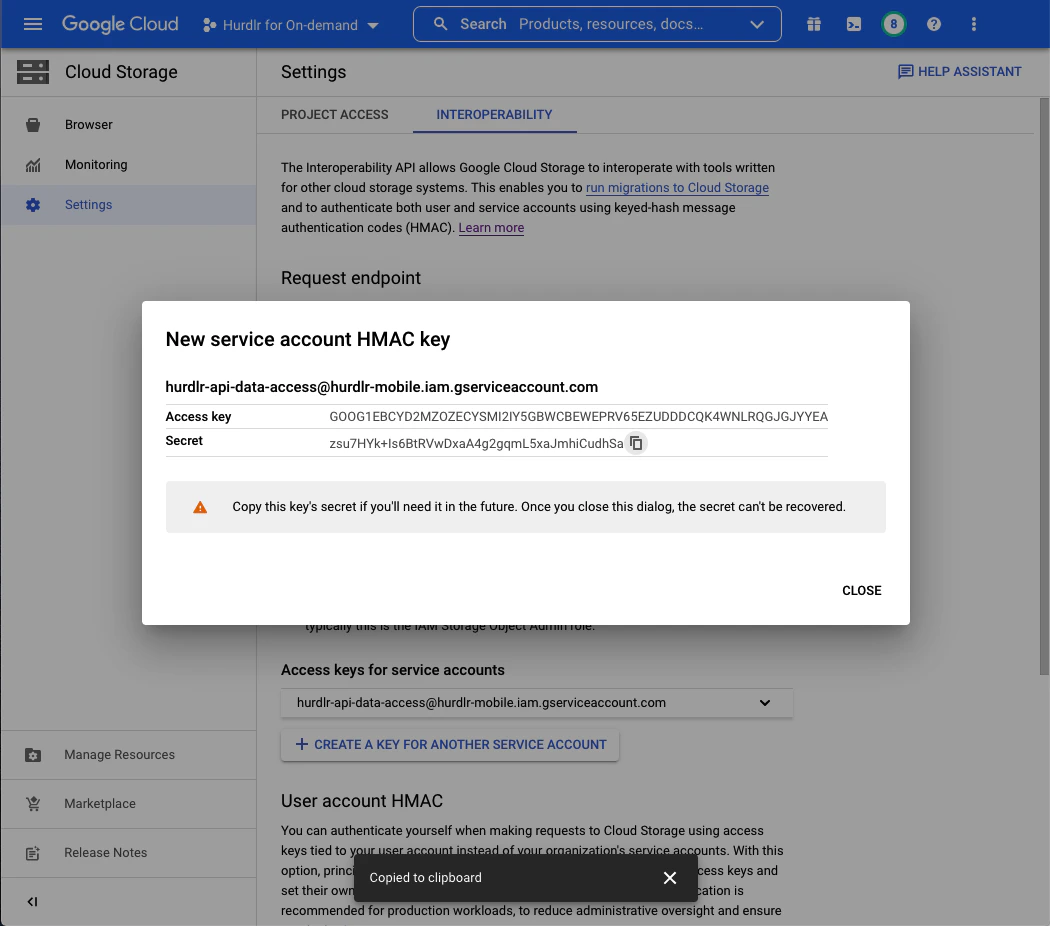
Next, you’ll need to create a service account HMAC key using the new service account created in Step 1. From the “Cloud Storage” screen, you should click on “Settings”, and then select the “Interoperability” tab: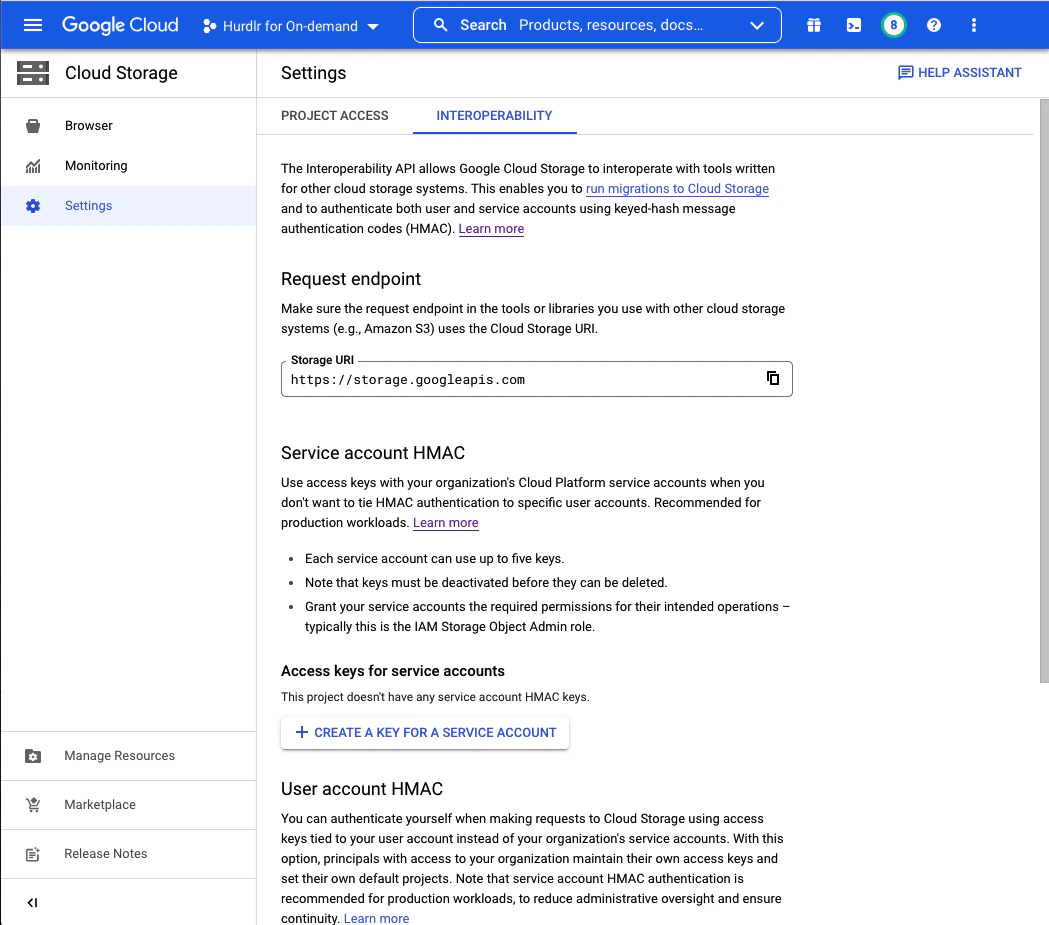
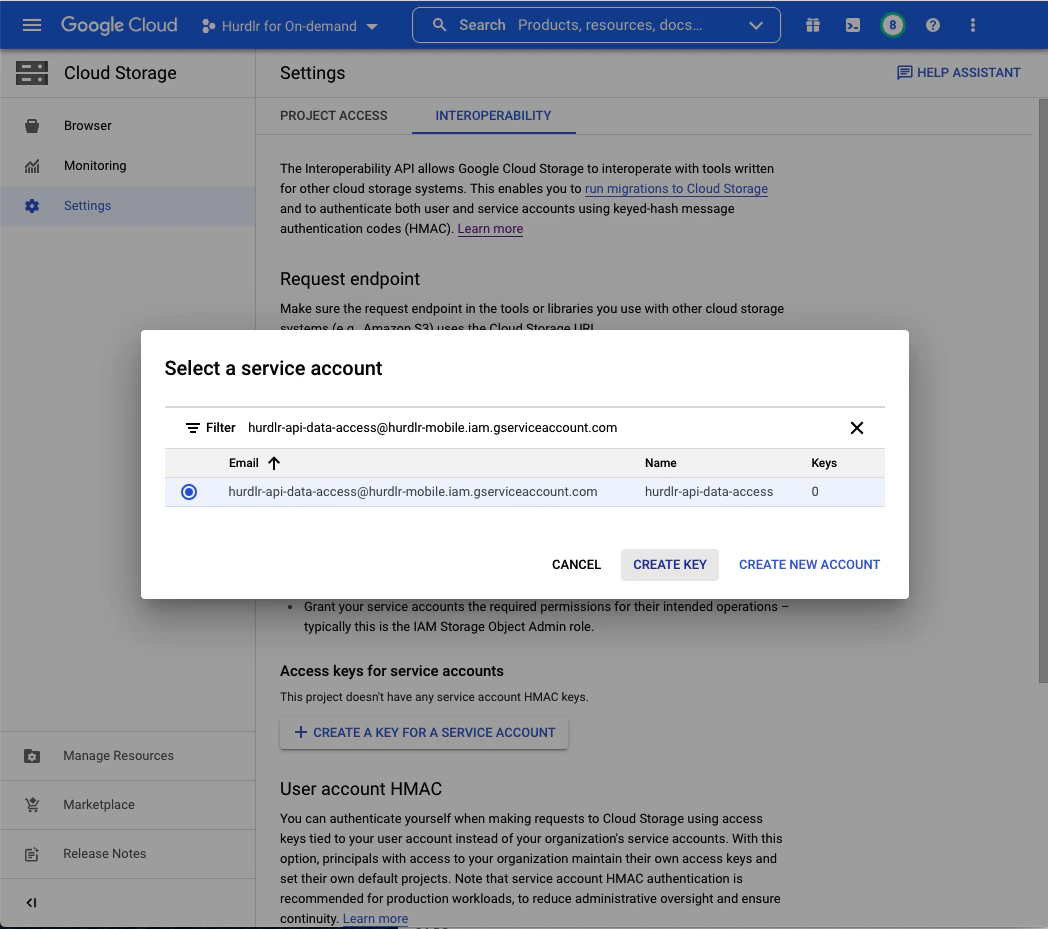
Access key and Secret fields that are displayed, and paste them into your own text file:
4. Securely share access with Tight
Contact us directly at api@tight.com for instructions on how to securely share theBucket name that you generated in Step 2 as well as the Access key and Secret that you generated at the end of Step 3.