
Overview

Tight’s Report Dashboard is a full-featured embedded experience (including all drill-down rows) for everything related to reports; all you need to do is add a “Reports” item to your product’s navigation. Report Dashboard Demo
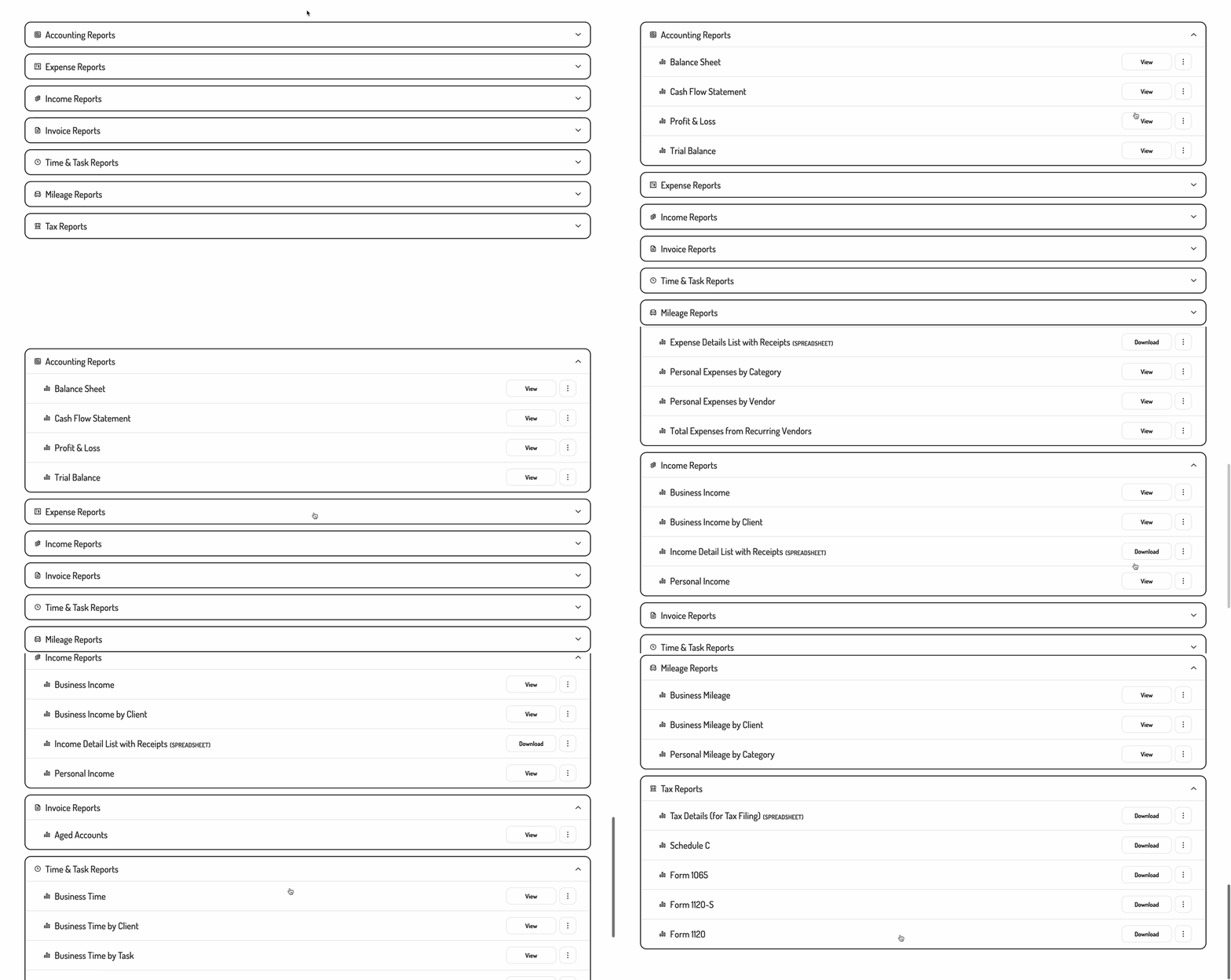
Embedding the Report Dashboard

To initialize the Tight Embedded experience using plain Javascript in your project, follow the instructions on Embedding Tight’s white-labeled UI. Below is an example JS embedding of the Report Dashboard:
Tight.renderScreen(elementId, 'reportDashboard');

Options

Modifying the list of reports

If you’d like to alter or reorder the list of reports being shown, you can do so by populating a reports array within the options object as follows:
Tight.renderScreen(elementId, 'reportDash', { reports: [
  Tight.reports.incomeByBusiness,
  Tight.reports.expensesByBusiness,
  Tight.reports.profitAndLoss,
]});
Passing in an empty array ([]) will show no reports, while passing any value other than an array will cause all reports to be shown. The reports array can contain any of the following values:
ValueReport Name
Tight.reports.profitAndLossProfit & Loss
Tight.reports.revenuesByBusinessBusiness Income by Business
Tight.reports.revenuesByClientBusiness Income by Client
Tight.reports.revenueListIncome Details List with Receipts
Tight.reports.personalRevenuesPersonal Income
Tight.reports.expensesByBusinessBusiness Expenses by Business
Tight.reports.expensesByCategoryBusiness Expenses by Category
Tight.reports.expensesByClientBusiness Expenses by Client
Tight.reports.expensesByVendorBusiness Expenses by Vendor
Tight.reports.expenseListExpense Details List with Receipts
Tight.reports.personalExpensesByCategoryPersonal Expenses by Category
Tight.reports.personalExpensesByVendorPersonal Expenses by Vendor
Tight.reports.recurringVendorsTotal Expenses from Recurring Vendors
Tight.reports.balanceSheetBalance Sheet
Tight.reports.cashFlowStatementCash Flow Statement
Tight.reports.trialBalanceTrial Balance
Tight.reports.agedAccountsReceivableAged Accounts Receivable
Tight.reports.agedAccountsPayableAged Accounts Payable
Tight.reports.scheduleCSchedule C
Tight.reports.form1065Form 1065
Tight.reports.form1120SForm 1120-S
Tight.reports.form1120Form 1120
Tight.reports.t2125T2125
Tight.reports.taxSummaryTax Details (for tax filing)
If you prefer for the list of reports to not be broken into sections, you can also set showReportSections to false:
Tight.renderScreen(elementId, 'reportDash', { reports: [
    Tight.reports.incomeByBusiness,
    Tight.reports.expensesByBusiness,
    Tight.reports.profitAndLoss,
  ],
  showReportSections: false
});