

Overview
A Cash Flow Statement (aka CFS, Statement of Cash Flows, or SCF) is a financial statement that provides a detailed overview of a business’s cash movement during a specific period. The CFS provides insight into the business’s operating, investing, and financing activities. This information helps the business understand their cash on hand, which informs their ability to operate in the short-term and long-term as well as their ability to fund business operations. Tight provides an indirect CFS, which is divided into 3 sections:- Operating Activities - This section includes the business’s cash flow from core operations, including income generated and expenses paid
- Investing Activities - This section includes the business’s cash flow from selling or purchasing assets
- Financing Activities - This section includes the business’s cash flow from equity and debt
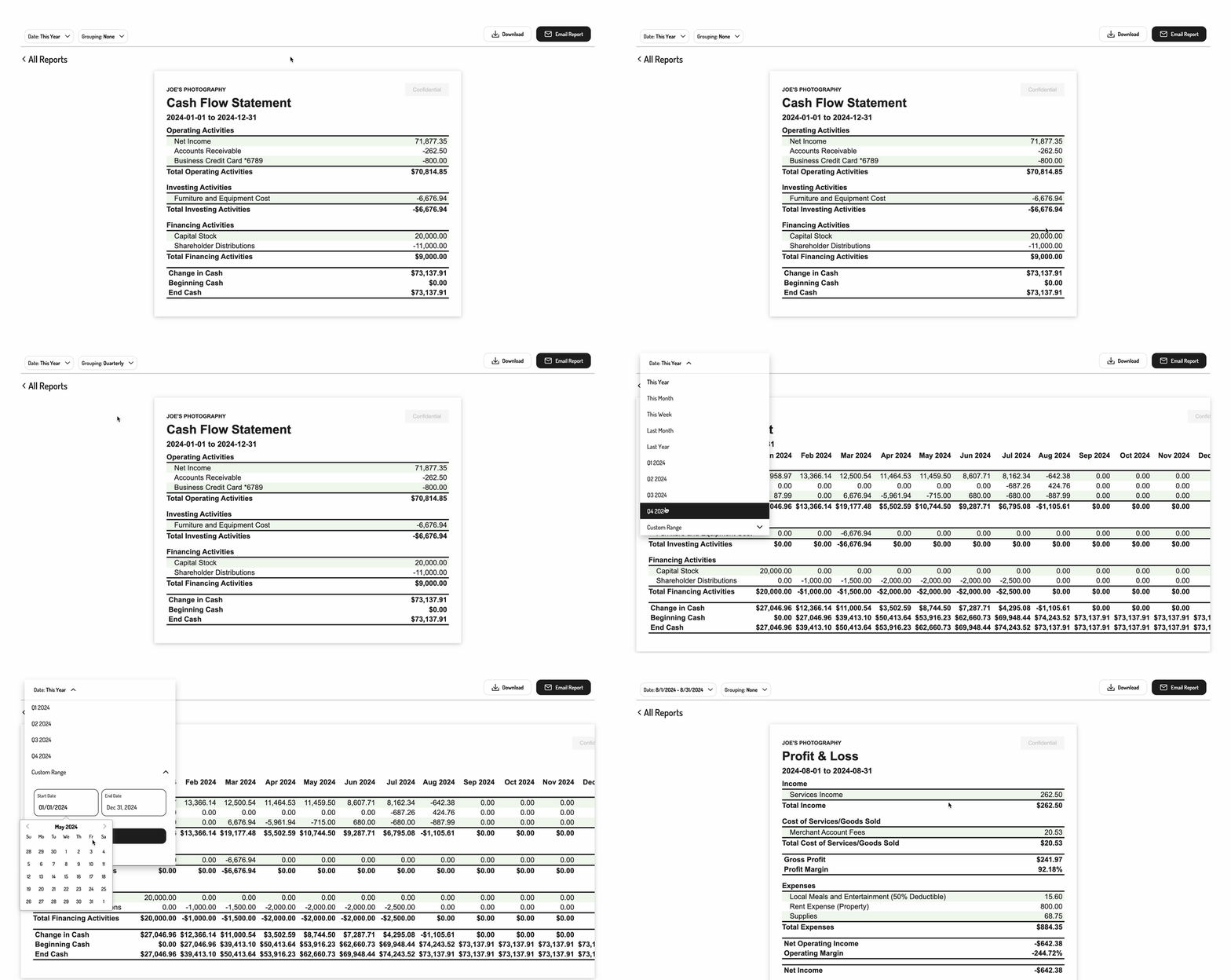
Embedding the interactive Cash Flow Statement
To initialize the Tight Embedded experience using plain Javascript in your project, follow the instructions on Embedding Tight’s white-labeled UI. Below is an example JS embedding of the Cash Flow Statement:Options
Populating the desired parameters
You can also pass in some optional parameters to specify the grouping and date range of the report.
Pass these parameters in as an object to the
renderReport call as follows: