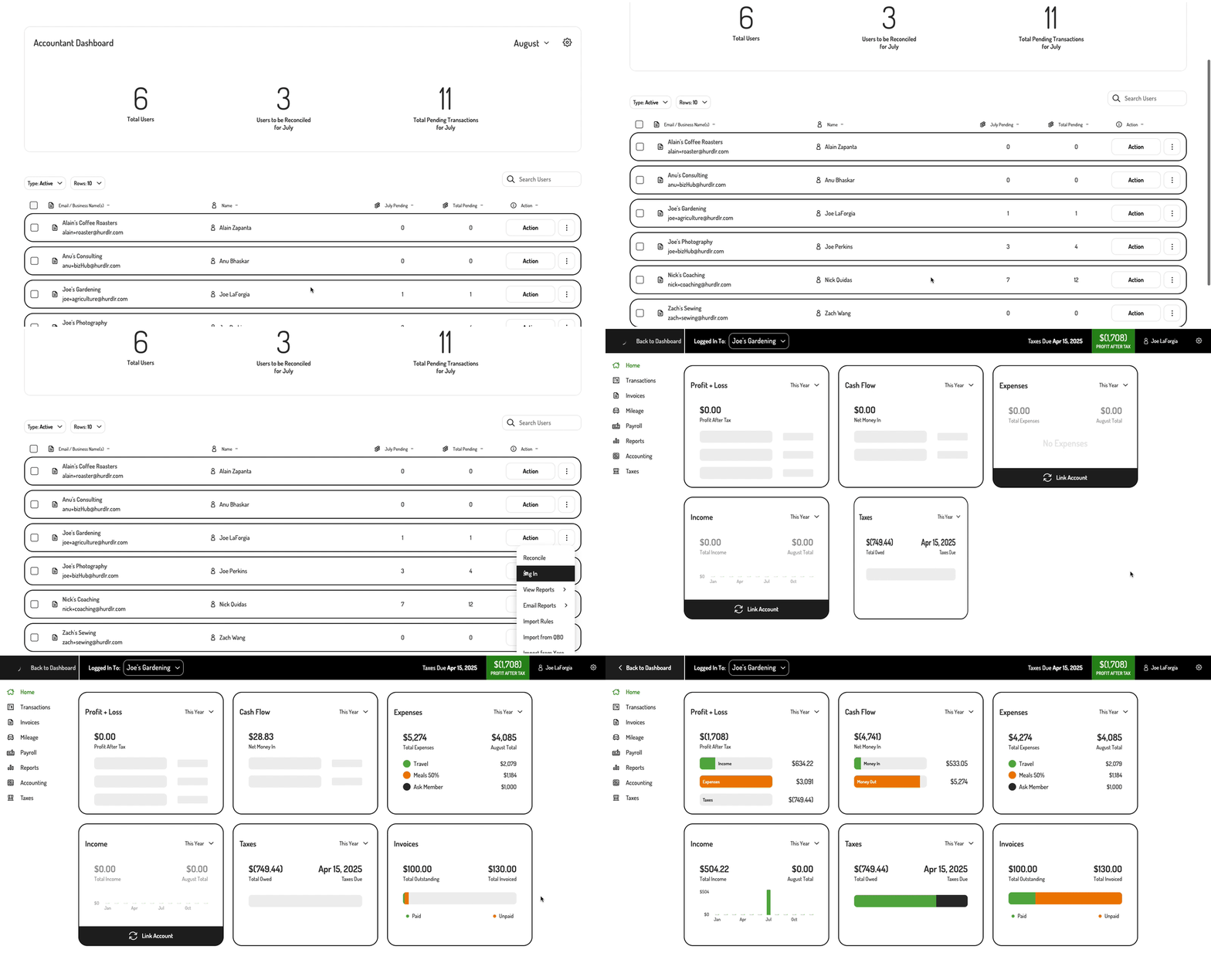
1. Logging into a specific business from the Accountant Dashboard
A bookkeeper can take advantage of theLog In user row action in order to log into a specific business from Tight’s Accountant Dashboard, as shown below:
2. Render a specific business for a bookkeeper
If you’d like to allow your bookkeeper to navigate straight into one of your client’s accounts onto a specific screen, you can simply invoke the following line of javascript:| Field | Description | Format |
|---|---|---|
| elementId | HTML id of the main <div> where the screen will be rendered | Any string |
| screenName | Screen within a client’s account to render for the bookkeeper | See list of available user screens |
| userId | Id in your DB of the client whose account will be rendered, as passed in when initially registering a user in the Tight API | Any string |